














How to Make a Dora the Internet Explorer Costume
DIY Costume Items
An Explorer With a Browser Window
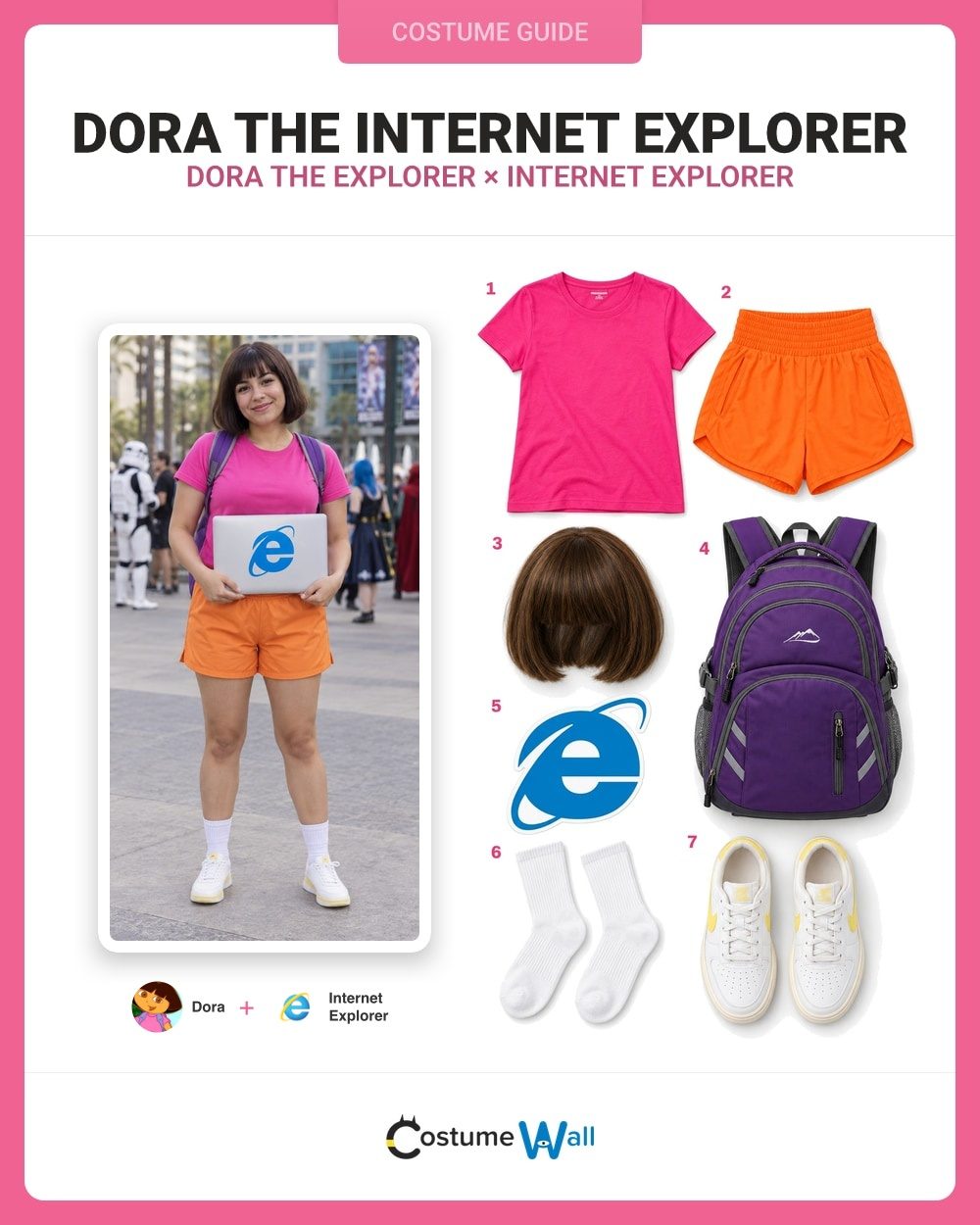
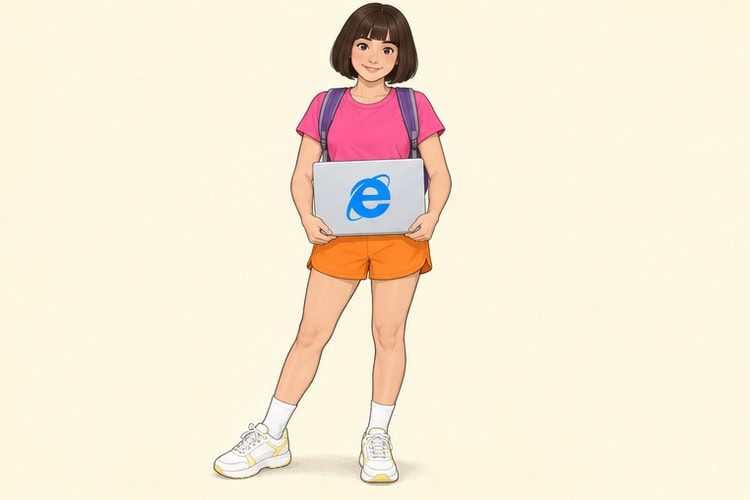
Dora the Internet Explorer turns the familiar pink-shirt-and-orange-shorts outfit into a browser joke. The brown bob, purple backpack and bright clothes establish Dora, while a laptop carrying the recognizable Internet Explorer logo supplies the second explorer. The shared word connects the names, and the blue browser emblem makes the punch line visible in a photo.
Use the clothing and accessories as a simple wearable base, then bring a laptop you already own for the prop. The kit includes an Internet Explorer decal, so there is no need to invent a browser symbol or buy a computer for the costume. Display the logo on the outward-facing lid and keep the backpack straps visible over the pink shirt. White socks and white sneakers with yellow trim finish the outfit while leaving the laptop as the main extra detail.
ProjectDora the Internet Explorer crossover
TechniqueLayer and accessorize
Gather Your Costume Pieces
From the Kit
Pink T-Shirt, Orange Shorts, Short Brown Bob Wig, Purple Backpack, Internet Explorer Logo Decal, White Crew Socks, White and Yellow Sneakers.
Bring a Laptop You Own
The shopping kit does not include a computer. Use your own closed laptop or a lightweight laptop prop and place the decal on a removable cover if you want to protect the original surface. Wear the pink shirt from the two-shirt pack and one pair of white socks. The remaining shirt and socks are spare clothing, not additional costume layers.
Meet Both Halves

Dora
The animated adventurer
Dora’s short brown bob, pink shirt, orange shorts and purple backpack create a recognizable color-and-shape combination. The outfit remains simple so the browser prop can add the second meaning.

Internet Explorer
The web browser
The classic blue e with its orbital ring identifies Internet Explorer. A laptop gives the logo an immediate computer context and turns Dora’s exploration into internet exploration.
Put the Crossover Together
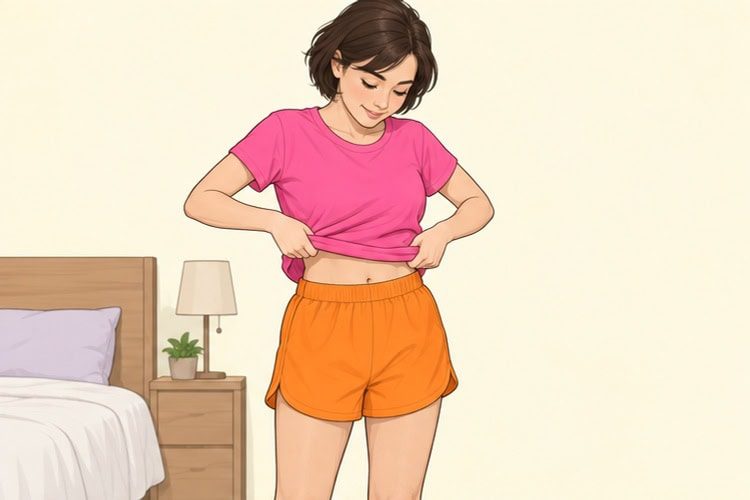
Put on the Bright Base
Wear the pink T-shirt with the orange shorts and smooth the shirt so its color remains visible above the waistband. Check the shorts while sitting and walking before adding the backpack. Keep the shirt plain and avoid another outer layer that would hide the pink-and-orange combination. These two colors establish the Dora reference before the props appear.
Check: The pink shirt and orange shorts are clearly separated.
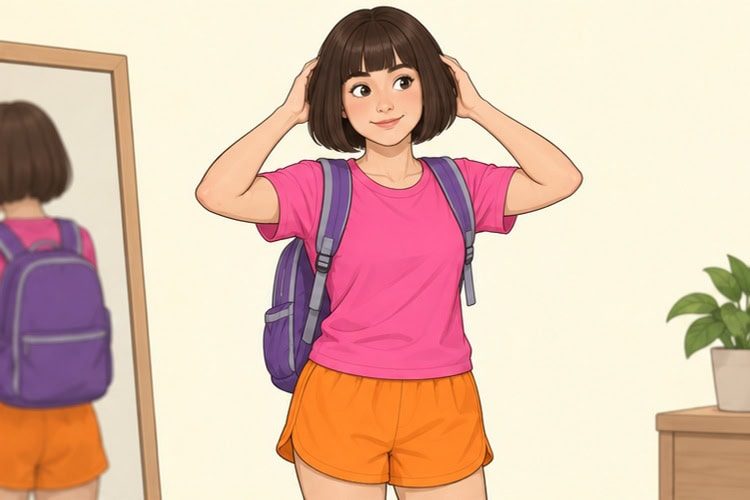
Fit the Bob and Backpack
Settle the short brown wig with its fringe above the eyes. Put the purple backpack over both shoulders and adjust the straps so the bag sits comfortably against your back. Keep the straps visible on the front of the shirt and move the wig ends outside them. Turn slightly to check that the purple bag can be seen from a three-quarter angle.
Check: The bob frames the face and both purple straps show.
Finish the Footwear
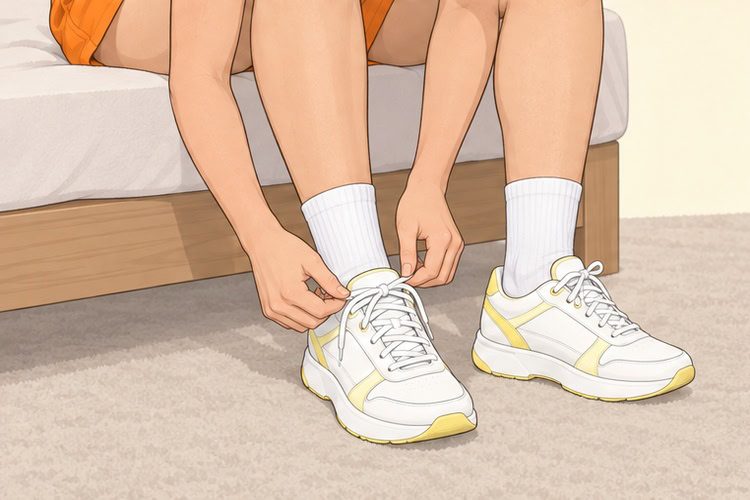
Put on one pair of white crew socks and lace the white-and-yellow sneakers. Pull the socks to an even height and secure the laces so they stay clear of the ground. The pale yellow shoe details echo the cartoon outfit without needing custom footwear. Walk a few steps with the backpack on to check the completed clothing layers.
Check: Both socks are even and the sneakers are secure.
Show the Browser Logo
Place the Internet Explorer decal on the outward-facing laptop lid or a removable cover, following the decal’s application directions. Close the laptop and support it at waist height with both hands. Keep the logo facing the camera and your fingers below it, leaving the backpack straps and pink shirt visible above. A slight body turn can show the purple bag at the same time.
Check: The blue browser logo is unobstructed on the laptop lid.
Quick Fixes
Laptop Hides the Outfit
Hold it near the waist so the pink shirt and backpack straps remain visible.
Logo Faces the Wrong Way
Turn the closed lid toward the camera before posing.
Backpack Disappears
Use a slight three-quarter pose and keep both straps outside the wig.
Prop Feels Heavy
Take the photo with the laptop supported in both hands, then set it aside between pictures.
Wear the Dora the Internet Explorer Look
Give Dora the Internet Explorer the cheerful confidence of someone who has found exactly the right page. Keep the purple backpack straps visible over the pink shirt, and hold the laptop below chest level with the browser decal facing outward. Turn slightly so the backpack can be seen from the side without hiding the orange shorts. The laptop should add the punch line while the clothes still look unmistakably like the explorer outfit.
Take one full-length photo and one closer shot that includes the bob, backpack straps and logo. Check the laptop angle before posing: glare or a hand over the decal can erase the Internet Explorer reference. A closed laptop is enough to display the symbol, so there is no need to balance an open screen for the picture. Set the computer aside when moving around the party, then bring it back for photos where the browser joke needs to be visible.
Dora the Internet Explorer Costume FAQs
Practical answers for putting both halves together.
No. Use one you already own or a lightweight laptop prop. The computer is not part of the shopping kit.
Use the recognizable Internet Explorer blue e and orbital ring shown by the listed decal.
The costume uses the pink shirt and one pair of white socks from the listed packs.
Yes. Apply it to a removable cover or another suitable removable surface instead.
About Dora the Internet Explorer
Dora the Explorer supplies the bright clothing and adventure-ready accessories in this mashup. Her pink top, orange shorts, brown bob and purple backpack make a useful set of recognizable costume clues. Keeping those colors separate matters more than adding lots of explorer equipment, because the laptop already introduces a large new object into an otherwise simple outfit.
Internet Explorer provides the second meaning of Explorer through its familiar browser logo. The name turns a television explorer into a computer-browser joke, and the decal makes that wordplay visible rather than leaving it only in the costume title. A laptop from home gives the symbol a natural place to appear. The backpack and bright clothes should remain visible around it, so the result reads as Dora carrying the browser reference instead of someone dressed casually with a computer.
Other Costume Ideas and Cosplay Guides